
Popeyes®
Popeyes Louisiana Kitchen, Inc.Food & Drink
4.941.25K Reviews
- Version
- 7.51.0
- Installs
- 10.00M
- Age Rating
- Everyone
Screenshots
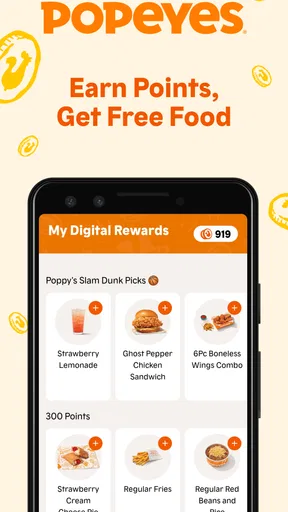
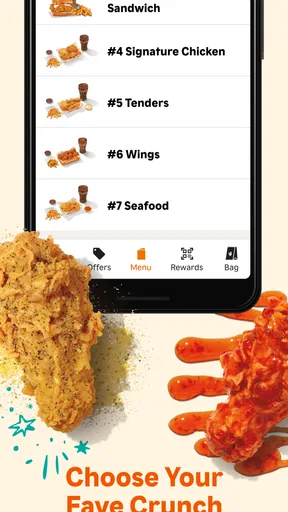
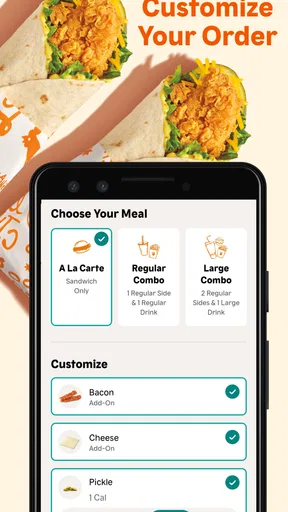
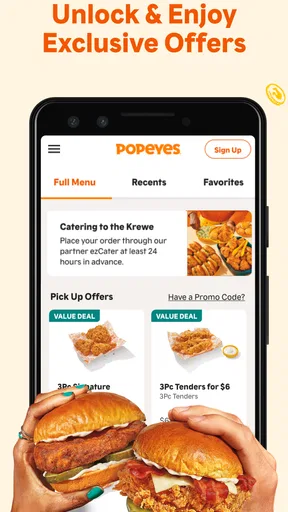
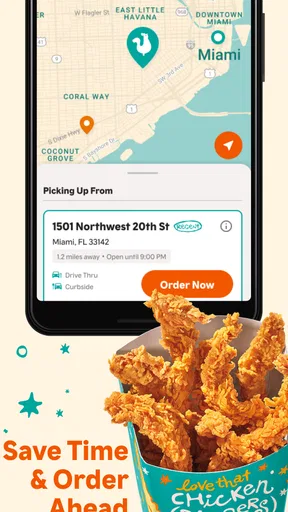
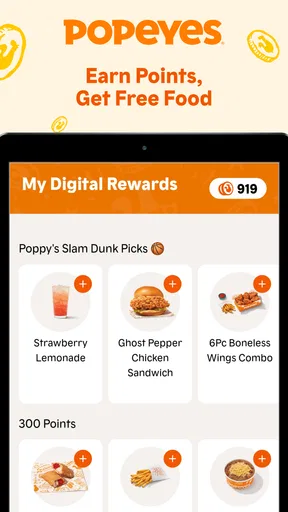
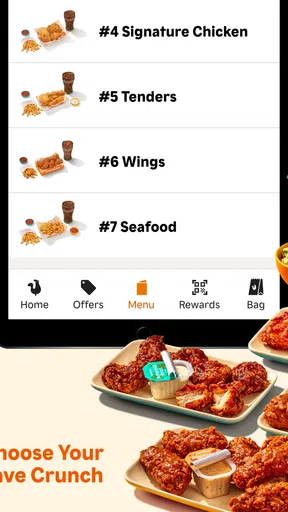
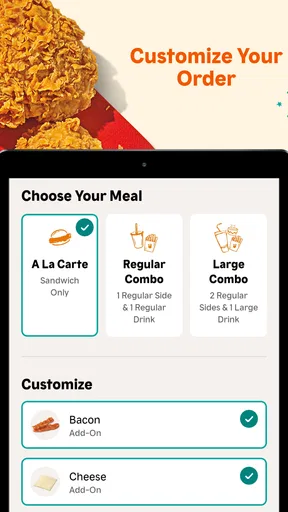
Our Review of Popeyes®
 Analysis by Appyee
I found Popeyes® most useful when I treated it as a quick bridge between deciding what to eat and actually placing a Popeyes order. It is a free Food & Drink app from Popeyes Louisiana Kitchen, Inc., aimed at people who already know the restaurant or want a faster way to browse its offers and ordering options. The experience is straightforward rather than ambitious, but that is part of its appeal: it keeps the focus on getting food selected with as little wandering as possible.
After spending time with it, my view is that this is not an app I would install for general restaurant discovery. It is much more specific than that. If Popeyes is one of your regular choices, the app can make repeat visits more convenient, especially when you are using a phone in a car park, at home, or while coordinating a meal with other people. If you are comparing several nearby restaurants, tracking nutrition in detail, or trying to plan around unreliable mobile service, the usual map, delivery, or restaurant-comparison tools may suit you better.
What the app is really like to use
The first thing I noticed is how clearly the app belongs to one brand. There is no attempt to become a broad food marketplace. The developer, Popeyes Louisiana Kitchen, Inc., keeps the experience centered on Popeyes locations, menu browsing, promotions, and the steps involved in ordering. That narrow purpose makes the interface easier to understand than a delivery platform filled with unrelated restaurants, but it also means the app only becomes valuable when you are already considering this chain.
The app has been available since June 18, 2018, and its current version is 7.47.45. It supports devices running Android 7.0 or later, which gives it a fairly broad reach among Android users. On the store, it carries a 4.9 average from around 194 thousand ratings, with roughly 40 thousand written reviews, and it has passed 10 million installs. Those figures suggest that it is not an obscure side project; there is a large audience using it for the practical task it was designed to handle.
I also appreciate that it is free to install and marked for Everyone. That removes two common barriers before you even start: there is no purchase required just to access the app, and its intended audience is broad. Of course, the food itself is a separate expense, so I would not confuse a free download with a free ordering experience. The app is a convenience layer around a restaurant purchase, not a meal-planning service or a free-food tool.
When a connection helps most
Connectivity shapes nearly every useful part of this app. Browsing a current menu, checking what a nearby restaurant can offer, looking for an available promotion, or moving through an order normally depends on the app reaching online services. That is not unusual for a restaurant app, but it changes how I plan to use it. I would open it before leaving home if I already know I want Popeyes, rather than waiting until I am standing outside with a weak signal and hungry people waiting.
This network dependence is especially noticeable when the app is being used for a time-sensitive decision. Imagine finishing work and needing dinner for several people on the way home. You open the app, choose a location, review the available choices, and try to complete the order while parked safely. In that situation, a stable connection makes the app feel efficient. You can make the decision before walking into the restaurant instead of holding up the queue while everyone debates.
The same workflow can be useful for a family meal, but I would not assume that every screen will remain useful after the signal disappears. A page that appeared earlier may still be visible for a moment, yet current restaurant information and order submission are the parts I would treat as connection-dependent. My practical advice is to finish the important steps while you have dependable service and to keep the restaurant’s location in mind as a backup if the app becomes slow.
Compared with a general delivery marketplace, the brand-specific approach can reduce clutter. You are not scrolling through competing restaurants or sorting by cuisine, distance, and delivery conditions. On the other hand, a marketplace may be better if your first question is “what is available near me?” rather than “how can I order Popeyes?” The app saves time only after you have made that brand decision.
Using it in real mobile situations
The most natural setting is a phone, not a tablet or desktop. I can see myself using it at home to decide on dinner, in a passenger seat while someone else drives, or outside a restaurant before going in. The small-screen design matters because food ordering is often done with one hand and limited attention. Clear taps and short steps are more valuable here than elaborate customization.
There is also a useful distinction between planning and ordering. Planning can happen casually while you are sitting on a reliable home network. Ordering is more exposed to real-world distractions: a busy car park, a crowded street, poor reception inside a building, or a group changing its mind at the last second. I would browse and compare choices before the rush, then use the final ordering steps only when I am ready. That reduces the chance of losing patience while repeatedly loading the same screen.
For a solo meal, the app is easy to justify because the decision is quick. For a group, it can be helpful but requires more discipline. I would ask everyone to agree on the order before opening the checkout flow, especially if the connection is inconsistent. Rebuilding a large order after a failed screen transition is more annoying than deciding the menu in a conversation first.
Another small but important habit is checking the selected restaurant carefully. Brand apps are convenient, but convenience can encourage people to tap through quickly. If you are near more than one location, confirm that the app is working with the branch you actually intend to use before committing to the order. This is the kind of detail that matters more in practice than a polished description of the app’s features.
What happens when the connection or flow goes wrong
Restaurant apps are judged harshly when something fails because the user is usually hungry and in a hurry. In my experience, the sensible way to use this one is to separate a temporary loading problem from an order problem. If a menu screen is slow, I can wait, retry, or move to a better signal. If I have already submitted an order, I would avoid tapping repeatedly without checking whether the first attempt went through. Repeated actions are a common way to create confusion when a network response is delayed.
I would also keep an eye on the final confirmation rather than assuming that reaching the last button means everything is complete. If the app stalls, I would check the order history or confirmation area when available, and I would contact the restaurant directly if I still cannot tell what happened. That is not a criticism unique to Popeyes; it is a sensible recovery habit for any connected ordering service. The key point is that the app should not be the only thing you rely on when timing and payment matter.
Recovery is easier when you prepare a little. Before starting a large order, make sure the phone has enough battery, the connection is stable, and the correct location is selected. If you are ordering from a moving vehicle, let a passenger handle the phone or wait until you are safely parked. A few seconds of preparation are preferable to trying to reconstruct an order while driving or while a queue builds behind you.
I would skip the app for a last-second purchase if my mobile service were already failing. In that case, walking into the restaurant or using another familiar method may be faster. The app is most effective when it prevents waiting, not when it becomes another uncertain step between you and the counter.
Being careful with mobile data
Because the app is built around current restaurant and ordering information, I would use it with the expectation that it communicates with online services during important tasks. I would not open and refresh it repeatedly on a limited mobile plan just to browse casually. A better routine is to look through the choices on Wi-Fi when possible, decide what you want, and reserve mobile data for checking the location and completing the order.
This is also useful for reducing battery strain. Repeatedly reopening a connected app while traveling can be wasteful, especially if reception is poor and the phone keeps searching for a stronger signal. If I already know which Popeyes location I want, I would avoid unnecessary refreshes and keep the ordering session focused. That is a small change, but it makes a difference on a long day away from a charger.
Privacy-conscious users should apply the same judgment they use with any restaurant or shopping app. Install it only from a trusted app store, keep the operating system updated, and review what the phone asks you to allow rather than approving everything automatically. I would also avoid placing an order over an unsecured public network if I could wait for a safer connection. The app is convenient, but convenience should not replace ordinary care with account and payment details.
One trade-off is that a dedicated restaurant app may feel more direct than a browser, yet it adds another app to your phone and another service to maintain. If you only visit Popeyes once in a while, using a mobile browser or ordering in person may be enough. If you return often, the dedicated app earns its place by keeping the brand-specific journey close at hand. The right choice depends less on the download itself and more on how regularly you use the restaurant.
Who benefits most from it
I would recommend this app to regular Popeyes customers who want a focused way to check choices and place orders from a phone. It is particularly suitable for people who already know the chain’s food and do not need a broad restaurant search. Parents arranging a meal, commuters picking up dinner, and office workers ordering for a small group can all benefit from having the brand’s ordering route in one place.
It can also help someone who dislikes standing in line when the restaurant is busy. Preparing the order before arriving may make the visit feel more controlled, especially when you are coordinating pickup around work or travel. The gain is not that the app transforms the meal; it is that it can move some of the decision-making away from the busiest moment.
I would be more hesitant to recommend it to someone who wants detailed comparisons between restaurants, a single account for many food brands, or a delivery service that handles a wide range of local options. A general marketplace is more flexible for those needs. I would also suggest caution for users with unreliable connectivity, limited data, or a strong preference for speaking with staff before ordering. The app’s focused design becomes a limitation when your needs fall outside Popeyes itself.
My practical verdict on connectivity
Connectivity is both the app’s strength and its main condition. When the phone has a reliable connection, Popeyes offers a focused route from menu decision to restaurant order without the distractions of a general food marketplace. When the connection is weak, the same simplicity can become frustrating because there are fewer alternative paths inside the app.
My best workflow is simple: browse while connected to dependable Wi-Fi, confirm the intended location, agree on the order before starting a group purchase, and complete the final steps while safely stationary. I would not count on previously viewed screens as a substitute for current online information, and I would keep a direct restaurant option in mind if the app cannot clearly confirm what happened.
Overall, I think the app is worth installing for frequent Popeyes customers, especially those who value speed and prefer handling food decisions from a phone. Its strong store reception and broad install base fit that practical role, but they do not make it the right tool for everyone. For me, the deciding question is not whether it is a good food app in general, but whether Popeyes is already part of my routine. If the answer is yes, the focused experience is useful. If not, a broader restaurant app or a simple in-person visit will probably serve you better.
Privacy and Permissions
See what permissions an app requests and how it handles your data.
- Location
- approximate location (network-based), precise location (GPS and network-based)
- Photos/Media/Files
- read the contents of your USB storage, modify or delete the contents of your USB storage
- Storage
- read the contents of your USB storage, modify or delete the contents of your USB storage
- Microphone
- record audio
- Wi-Fi connection information
- view Wi-Fi connections
- Other
- view network connections, full network access, change your audio settings, run at startup, reorder running apps, draw over other apps, control vibration, prevent device from sleeping, modify system settings, read Google service configuration
Verdict
Strengths of Popeyes®
- Easy ordering through the app for pickup or delivery.
- Menu includes chicken, sandwiches, seafood, sides, and desserts.
- Customizable orders let you adjust sides, sauces, and drink choices.
- Exclusive app deals can reduce the cost of meals.
- Order tracking helps you follow delivery progress in real time.
Limitations of Popeyes®
- Deals and menu availability may vary by restaurant location.
- Delivery fees and service charges can increase the final price.
- Some app promotions require account registration or specific conditions.
- Busy periods may cause delays for pickup or delivery orders.
- The app depends on location services to show nearby Popeyes restaurants.
Similar Picks in This Category
View All
Rappi: Food Delivery, Grocery
Rappi, Inc - Delivery3.5

McDonald’s: Cupons e Delivery
Arcos Dorados4.3

Swiggy: Food Instamart Dineout
Swiggy4.7

Blinkit: Groceries & more
Blinkit4.8

foodpanda: food & groceries
Foodpanda GmbH a subsidiary of Delivery Hero SE4.0

Zomato: Food Delivery & Dining
Zomato4.7
Frequently Asked Questions
What is the Popeyes® app used for?
The Popeyes® app is designed to make ordering from participating Popeyes restaurants more convenient. After entering your location, you can browse the menu, customize selected items, choose pickup or delivery where available, and review your order before paying. It can also help you find nearby restaurants and view current promotions, although features may vary depending on your country and local restaurant.
Can I order Popeyes® delivery through the app?
In supported locations, the app may let you place an order for delivery or restaurant pickup. Availability depends on your address, opening hours, local staffing, and whether the restaurant handles delivery directly or through a third-party service. Before confirming, check the estimated preparation time, delivery fee, minimum order requirements, and any service charges, since these details can differ significantly between locations.
Does the Popeyes® app offer coupons, rewards, or special deals?
The Popeyes® app may include digital coupons, limited-time promotions, and loyalty or rewards features, depending on the market where you use it. Some offers require an account, have expiration dates, or apply only to specific menu items and restaurants. It is worth checking the offer terms carefully before ordering, because discounts may not always combine with other promotions or delivery fees.
Do I need to create an account to use the Popeyes® app?
Some basic functions, such as browsing menu information or locating restaurants, may be available without signing in. However, creating an account is generally useful if you plan to save favorite orders, manage addresses, receive personalized offers, track rewards, or place orders more quickly in the future. You may need to provide contact and payment information, so review the app’s privacy settings and permissions.
Is the Popeyes® app available on both Android and iPhone?
Popeyes® generally provides mobile ordering options through official Android and iOS channels, but availability can depend on your country, device compatibility, and the local Popeyes operator. Download the app only from Google Play or the Apple App Store, and verify that the developer name and branding appear legitimate. If the official app is unavailable in your region, restaurant services may instead be offered through a website or delivery partner.
